
Croonio Review 2026: Listening Pages
Croonio review: explore personalised AI song pitches, editable lyrics, listening pages, Instantly handoff, two free credits and current Starter pricing.
Contents7 sections
- What Croonio brings to a personal introduction
- Build a brief with a real reason to talk
- Edit the lyrics and direct the sound separately
- Compare two versions and choose the export length
- Share a listening page through your email workflow
- Croonio pricing and the two-credit trial
- Think about the presentation around the song
Croonio turns a familiar problem—how to make a relevant introduction—into a short creative assignment. With two song versions per credit and three export lengths, it gives you choices about both the message and the performance. This Vidyo showcase follows the brief, lyric controls, listening page and current prices we inspected.
What Croonio brings to a personal introduction
The appeal of Croonio is easy to understand: a short song can carry the same essentials as a thoughtful introduction. It can mention something specific about the recipient, explain what you offer and invite one small next step. The music gives those words a form that someone can choose to play.
We like the way the product keeps those decisions together. The brief, lyric editor, sound direction and recipient preview are parts of the same workflow. You can move from an initial idea to a reviewed musical message without treating the destination as an afterthought.
The public listening room offers five concept pitches with different approaches: a witty jingle, a sincere personal pitch, a confident hook, a funny pitch and an understated introduction. These are useful starting points for deciding what kind of message would suit your own recipient. Open the lyric disclosures as well as the players so you can compare the words with the intended tone.
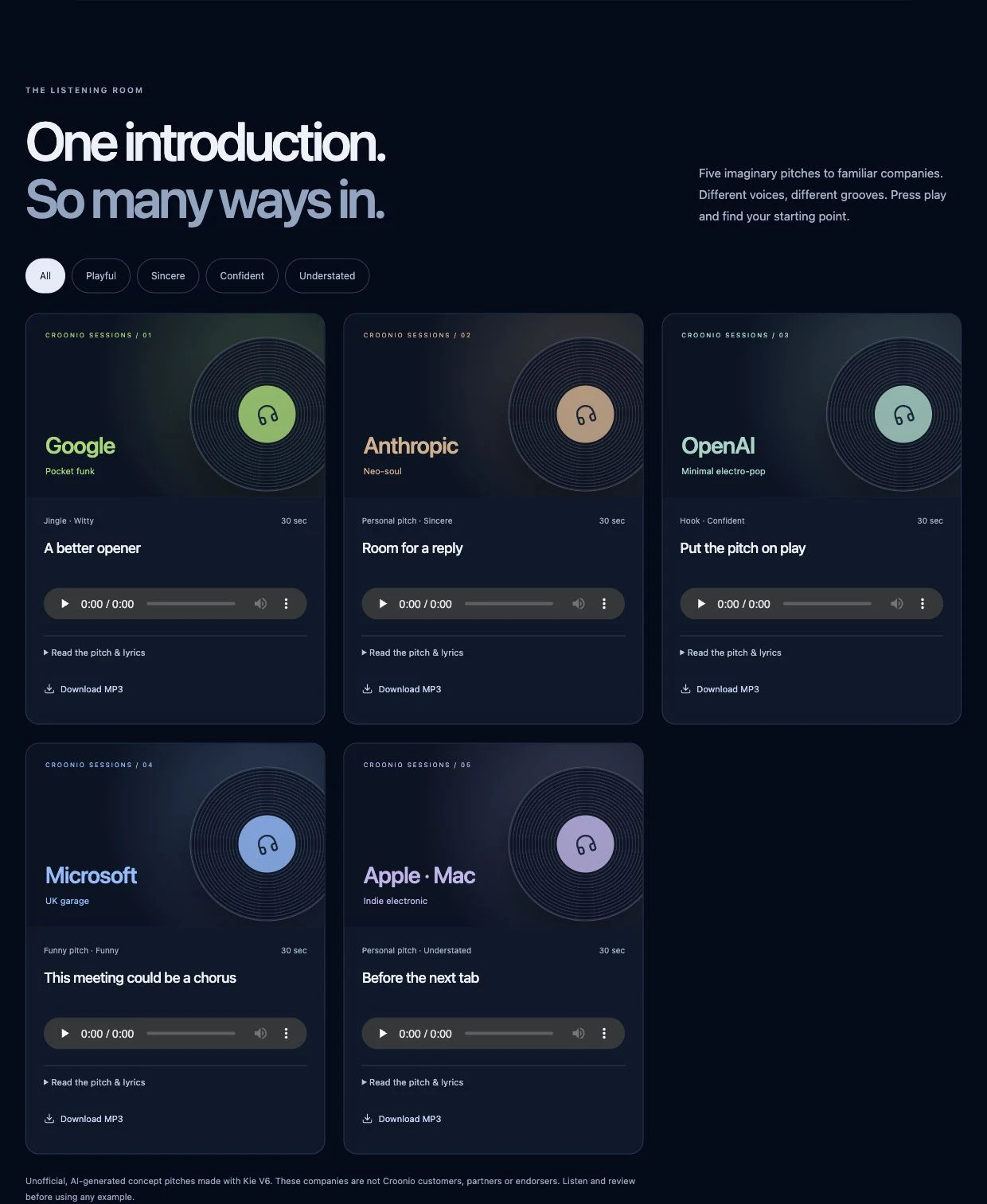
The familiar company names in that room are part of the examples. Croonio explicitly says those companies are not customers, partners or endorsers. The useful question for your project is which approach helps your own offer come across clearly; the examples are creative references, not evidence of replies or sales.
Build a brief with a real reason to talk
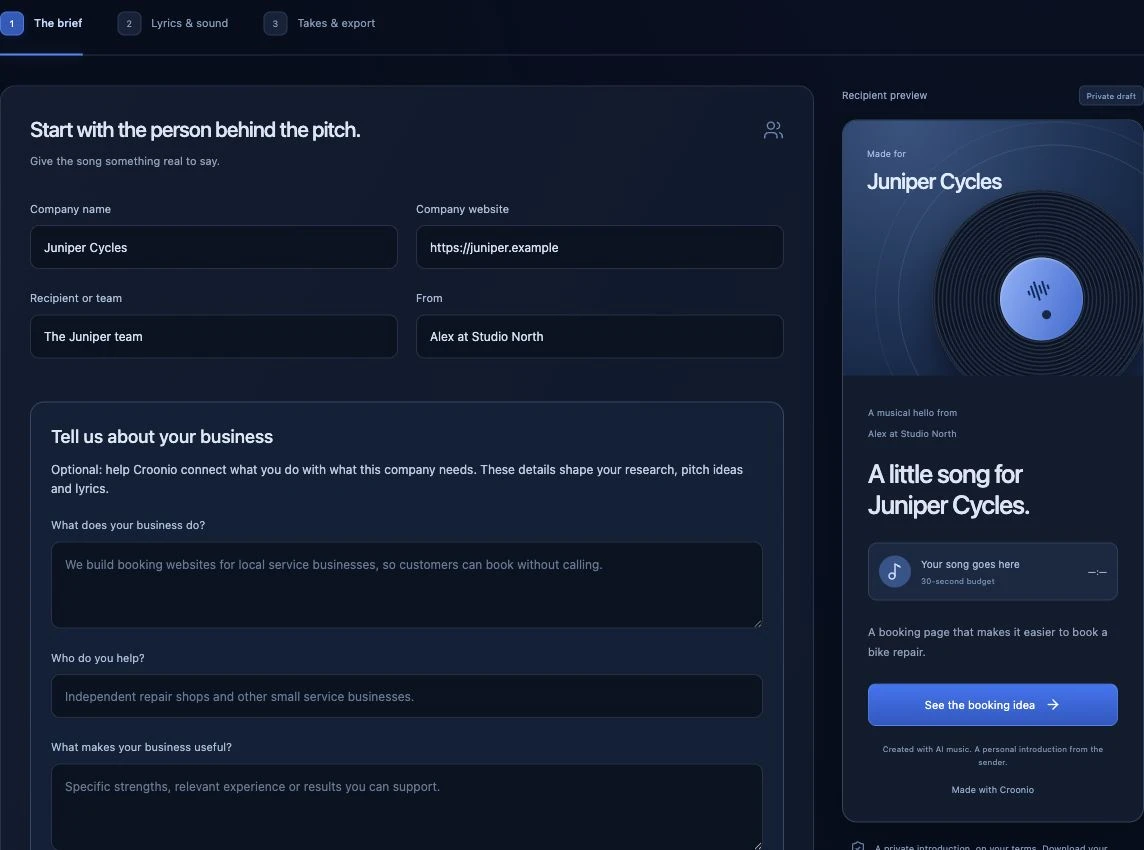
The brief asks for the company, website, recipient, sender, offer, call to action and destination link. It also has space to explain your own business, who you help and what makes your offer useful. That gives the writing stage more to work with than a company name dropped into a generic verse.
In the fictional Juniper Cycles example, the offer is a booking page for bike repairs. The proposed next step is to see that booking idea. It is a compact demonstration of a helpful structure: identify the recipient's activity, offer a relevant improvement and make the invitation specific enough to understand.
The research controls offer a Quick look with up to two searches or Go deeper with up to six. There are separate fields for a person and a role, plus choices about what to explore. Research and writing are included within usage limits rather than being unlimited services.
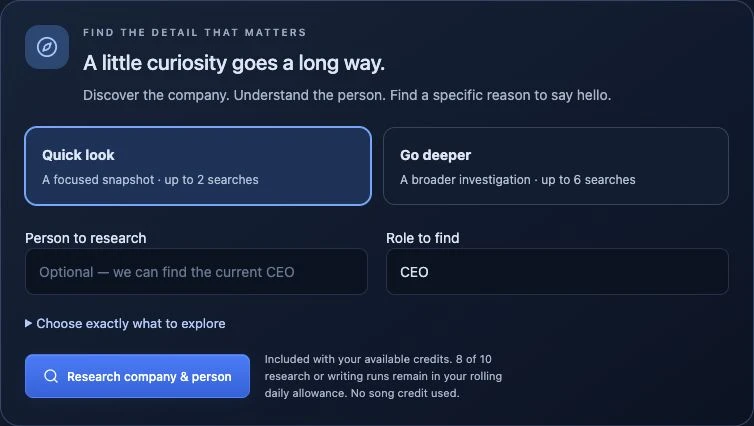
The important editorial decision comes after research: select the details that actually belong in the song. The interface distinguishes website sources, your own notes and fictional examples. Keep that distinction when you write. A verified detail can make the introduction more relevant; an unsupported compliment adds little even if it rhymes.
Before moving on, read the offer and call to action aloud. If the next step is vague in plain speech, a melody will not make it clearer. A short, understandable invitation gives the lyric stage something useful to build around.
Edit the lyrics and direct the sound separately
Croonio's lyric workflow is one of its most useful features. A draft can draw on the selected details, offer and call to action, while the words remain editable. The interface suggests 40–65 words for a short pitch, which is a practical reminder to keep the message focused.
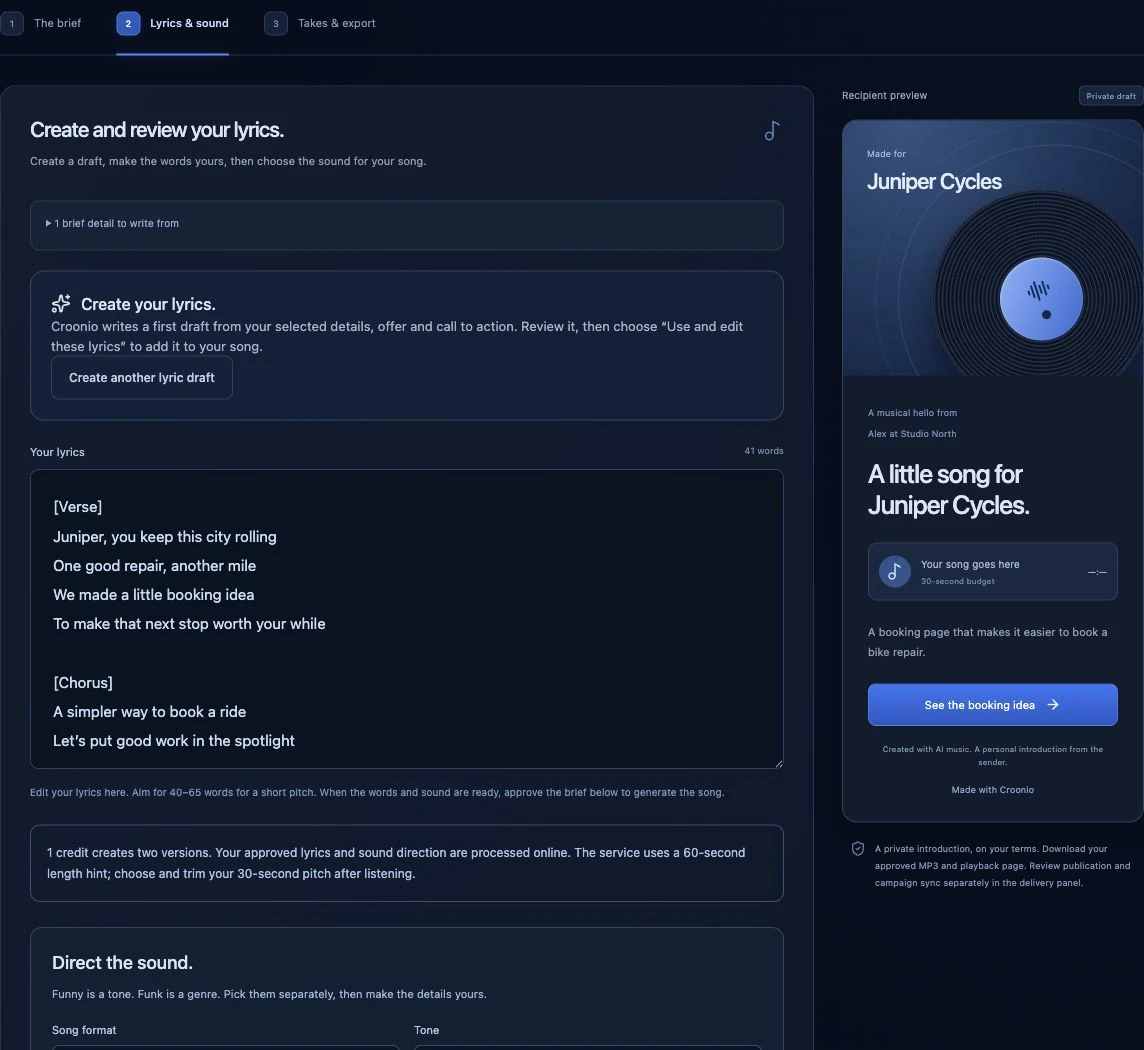
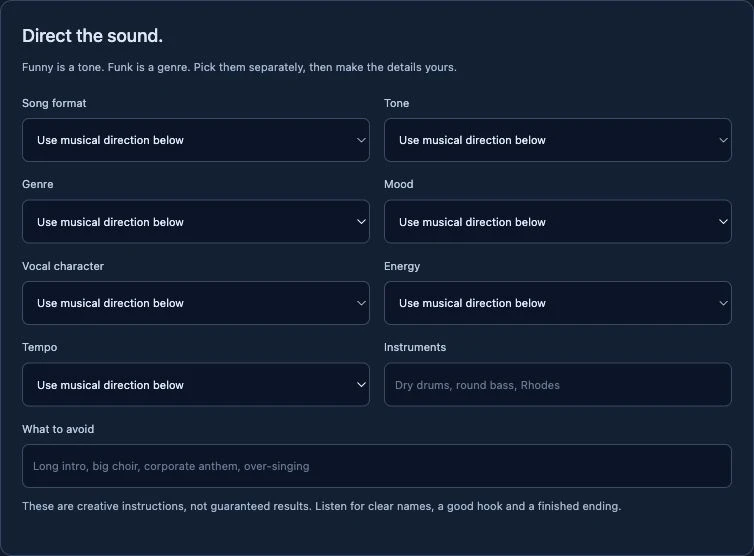
The sound controls separate format, tone, genre, mood, vocal character, energy and tempo. That distinction matters. A witty message does not have to use a loud arrangement, and a sincere introduction does not automatically need a slow acoustic treatment. You can make those choices independently and add instruments or things to avoid.
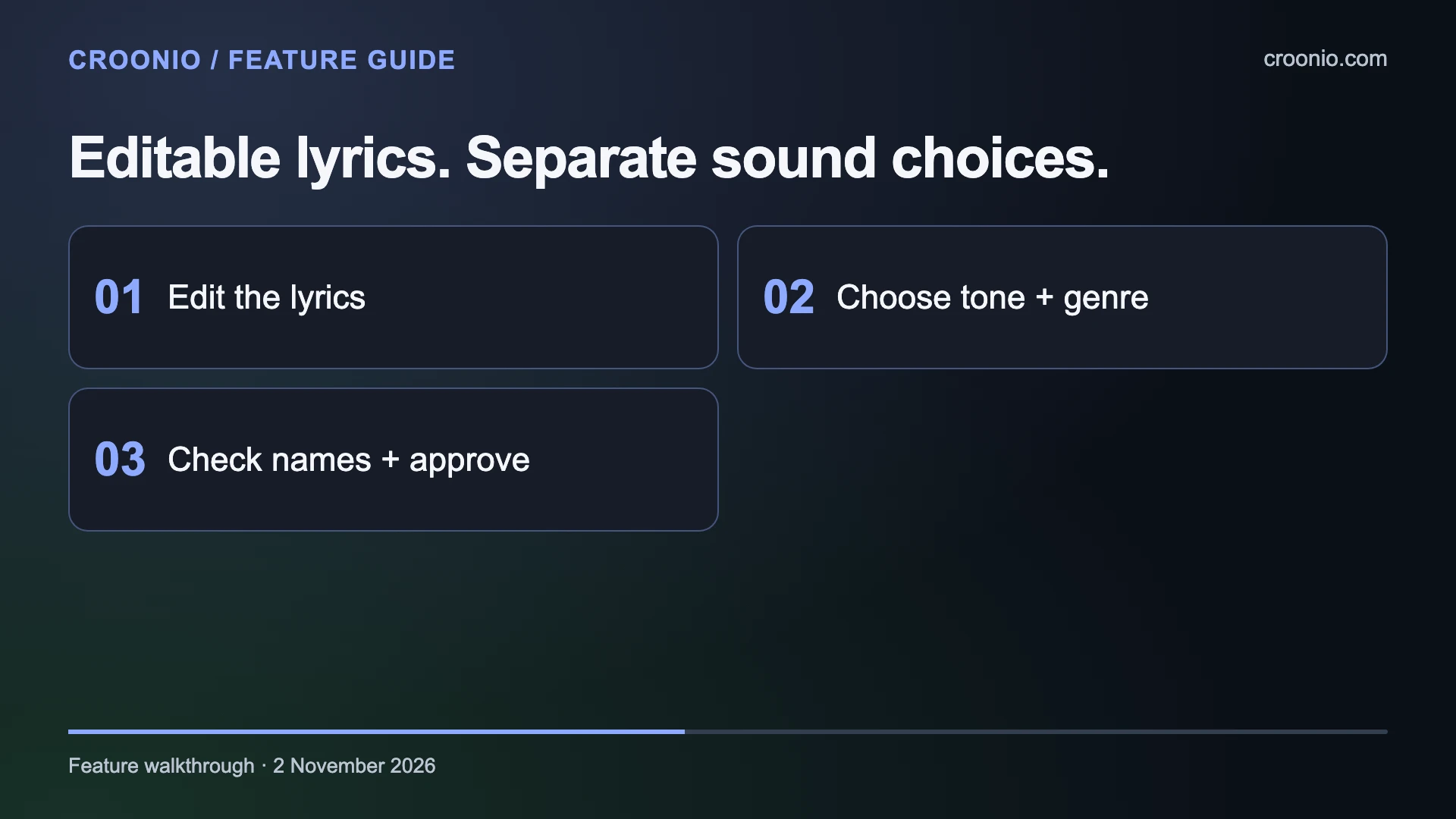
The visible formats include personal pitch, jingle, hook, funny pitch and spoken-sung introduction. Genre choices include pocket funk, neo-soul, minimal electro-pop, acoustic folk and others. There is also a free-text musical direction field for more specific instructions.
We particularly like the dedicated names and pronunciation field. A musical introduction should make the recipient's name easy to understand, so it deserves attention before and after generation. The interface also offers a lyric check and a review-and-approve step. These controls support a considered creative process, while the final recording still needs a listen: the direction fields are instructions, not guarantees of an exact performance.
Compare two versions and choose the export length
The current credit model gives you two song versions from one credit. That makes comparison part of a single generation request. Listen for how each version handles the opening, the name, the offer and the final phrase, then choose the performance that serves the message best.
The studio explains that generation uses a 60-second length hint. The 30-, 45- and 60-second controls are export choices; they should not be read as promises that every original recording arrives at an exact duration. The full recordings are saved so you can review the source before choosing the cut.
| Export choice | Length in seconds | A possible use | What to review |
|---|---|---|---|
| Short pitch | 30 | One observation and one invitation | The message starts promptly and the ending makes sense |
| Extended introduction | 45 | A little more room for the offer | Every added line helps explain the next step |
| Longer presentation | 60 | A fuller musical idea | The arrangement stays focused and the words remain clear |
These uses are editorial suggestions, not preset performance outcomes. Choose the shortest version that comfortably carries your actual message. A longer export is valuable when the additional time earns its place, rather than simply because it is available.
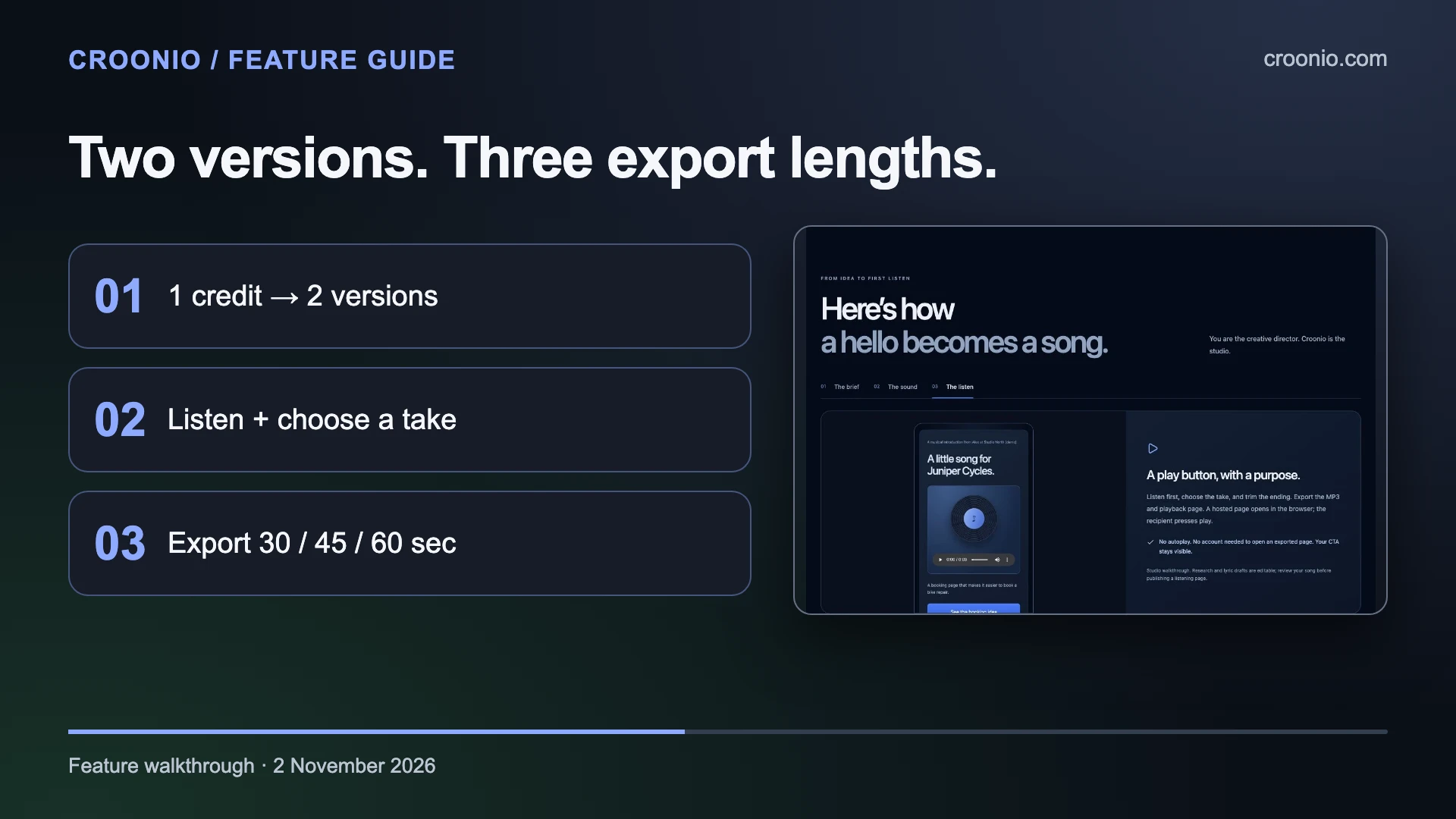
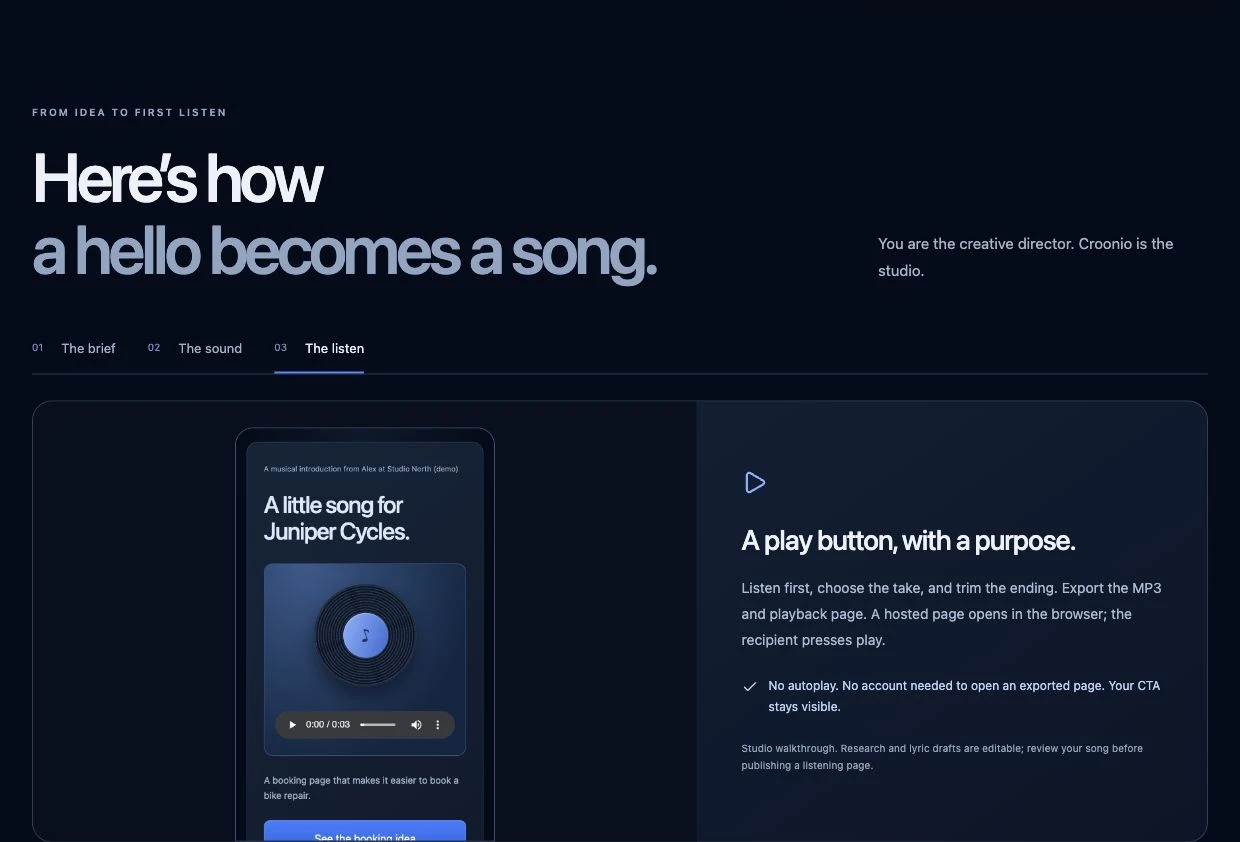
The recipient-page concept keeps the sender, song and next step together. Croonio's public walkthrough says the hosted page opens in a browser without a recipient account, and playback begins when the listener presses play. That is a useful presentation choice for an introduction: the person can see what the message is about before deciding to listen.
Share a listening page through your email workflow
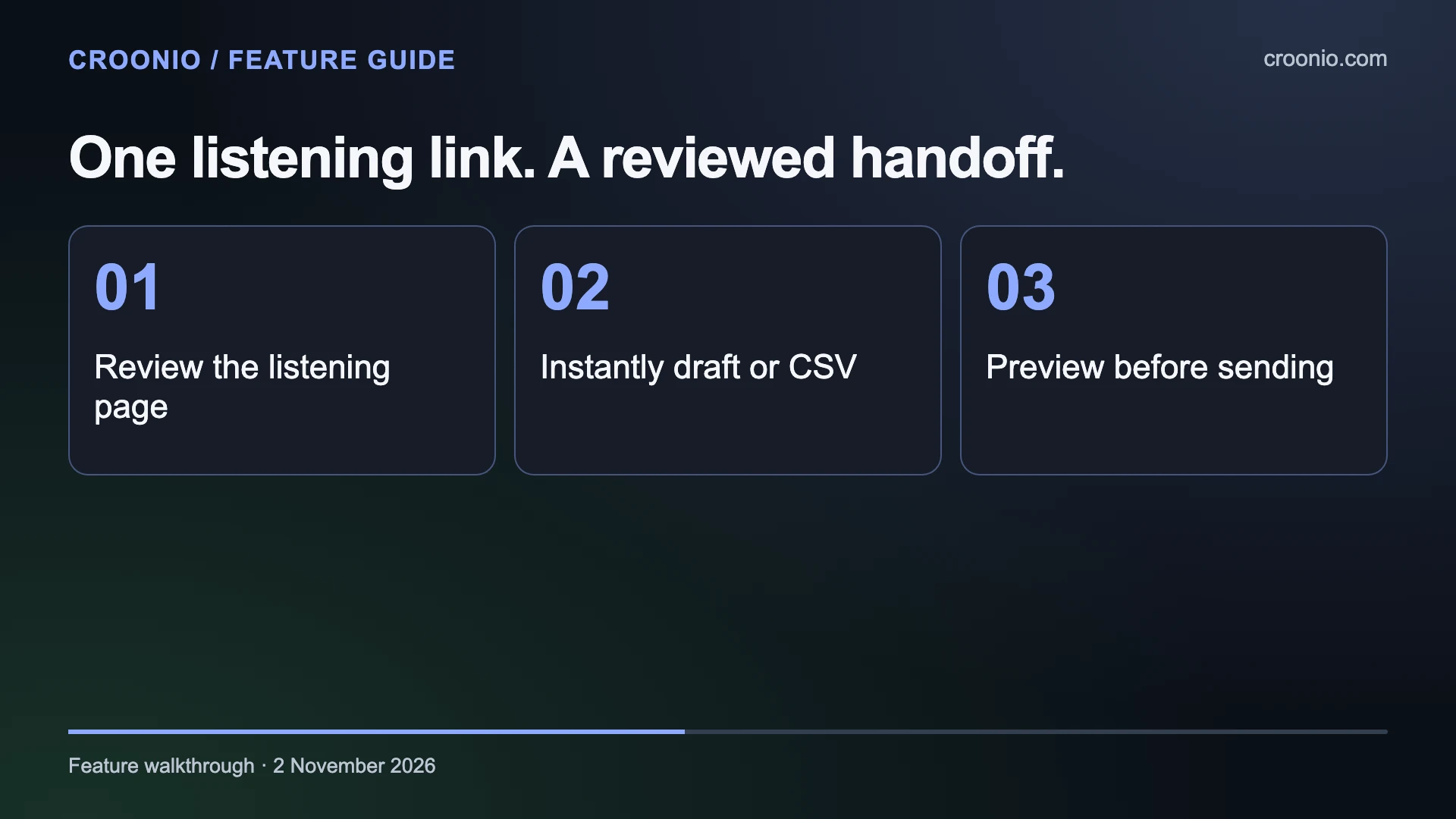
After choosing and exporting the song, Croonio offers a reviewed listening-page step. Its public workflow says you can publish the export, test the resulting link and revoke it from the studio. The link becomes the destination that travels with the invitation.
The handoff supports Instantly drafts and a CSV route for other senders. The studio's delivery panel separates connecting the sender, sharing the song and reviewing the campaign. It states that Croonio does not activate the campaign. That leaves the final email review and launch in your sending workflow.
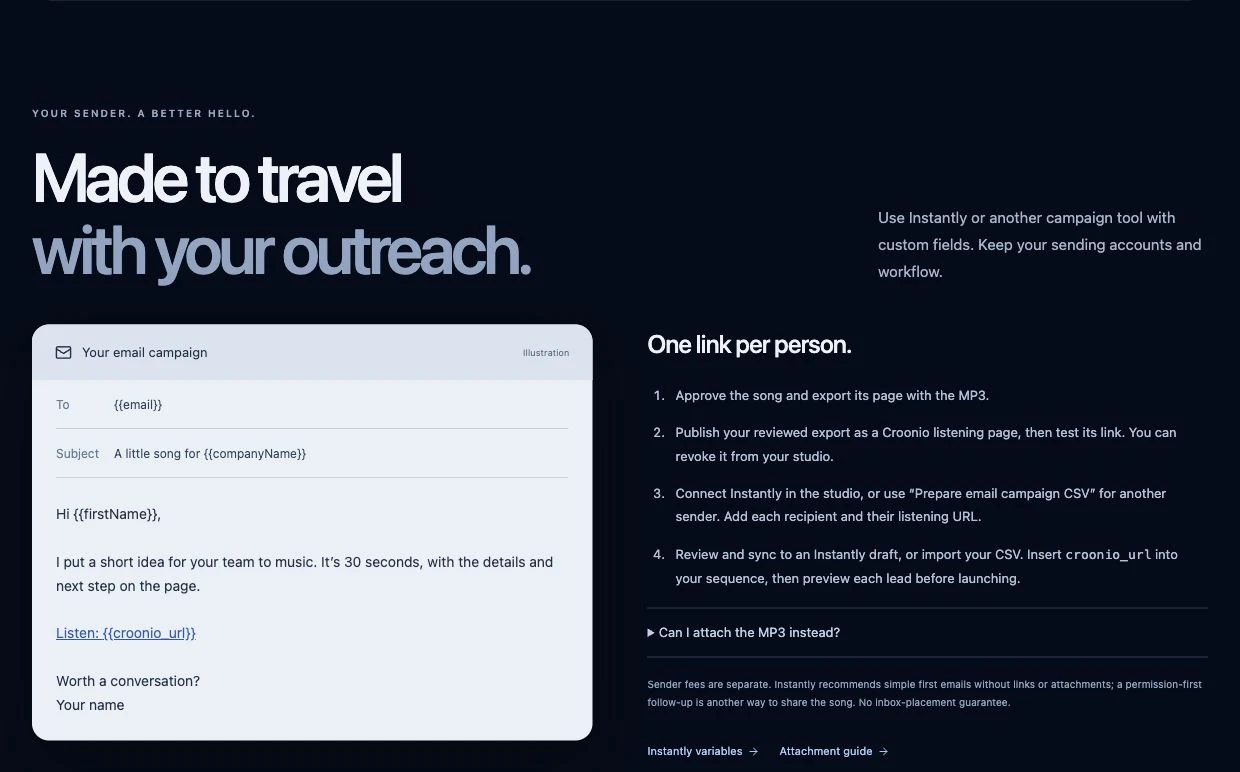
For Instantly, the useful field is croonio_url. Map the listening URL to the correct recipient and insert that variable into the email. Instantly's variable guide explains custom-field mapping and lead previews; variable names must match the imported column headers. Preview the actual lead so the name, company and listening link belong together.
Keep the email short enough to explain why the song is there. For example, an invitation can identify the idea and ask whether the recipient would like to hear it. The public Croonio page also suggests a permission-first follow-up as one way to share. Sender fees remain separate, and the page makes no inbox-placement promise.
If you prefer an MP3 attachment in a reply, Instantly's Unibox attachment guide documents that option. Choose the delivery format for the conversation you are having, then check the file or link yourself before sending.
Croonio pricing and the two-credit trial
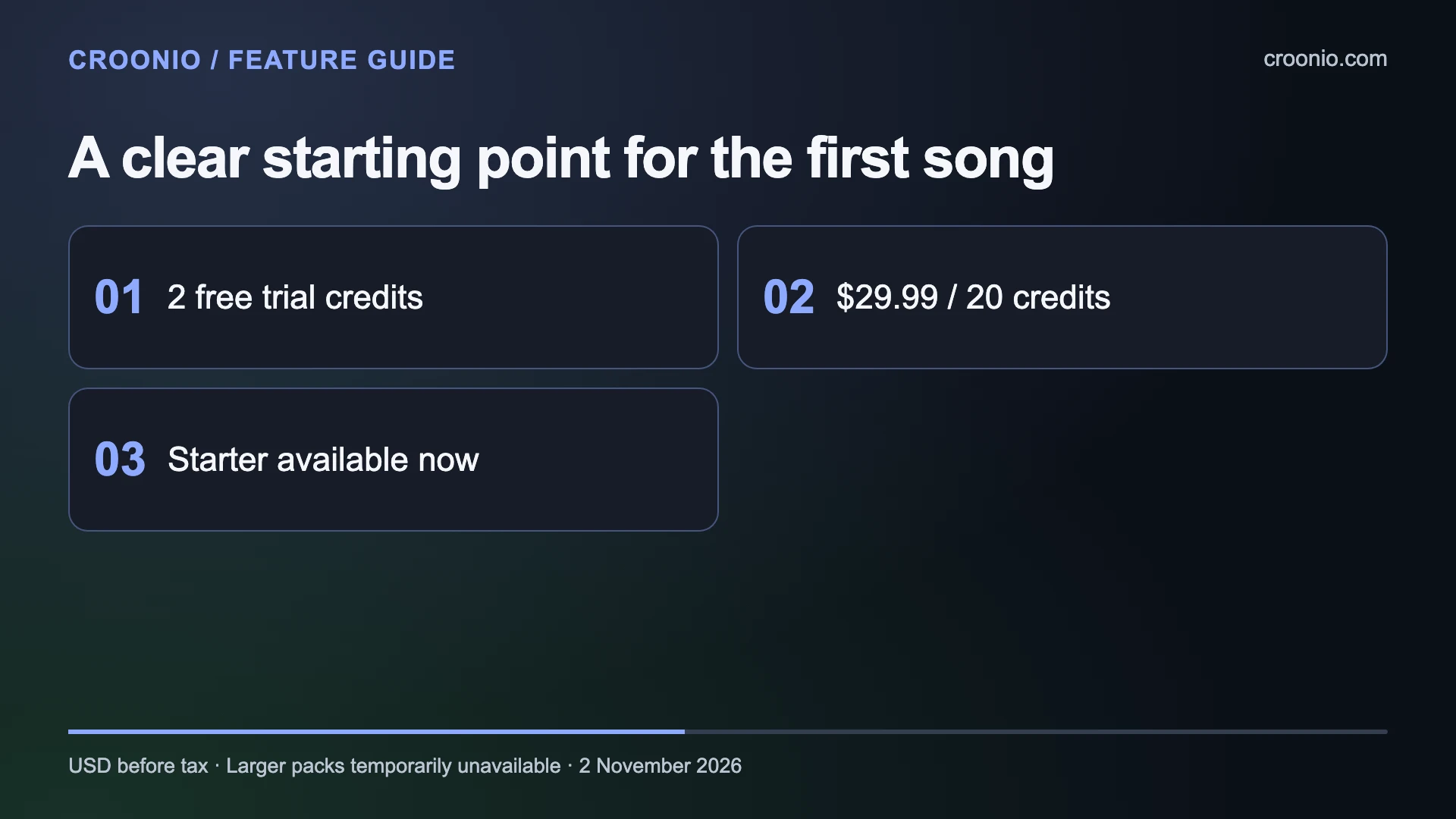
Croonio currently offers two free credits once per verified account, with no card required. The available paid option at the time of our check is Starter: US$29.99 for 20 credits, before applicable taxes. There is no monthly Croonio subscription fee in the displayed offer.
| Option | Credits | Listed USD price before tax | Availability checked 2 November 2026 |
|---|---|---|---|
| Verified-account trial | 2 | $0 | Offered once per verified account |
| Starter | 20 | $29.99 | Get started available |
| Growth | 100 | $99.99 | Temporarily unavailable |
| Scale | 500 | $349.99 | Temporarily unavailable |
| Agency | 1,000 | $599.99 | Temporarily unavailable |
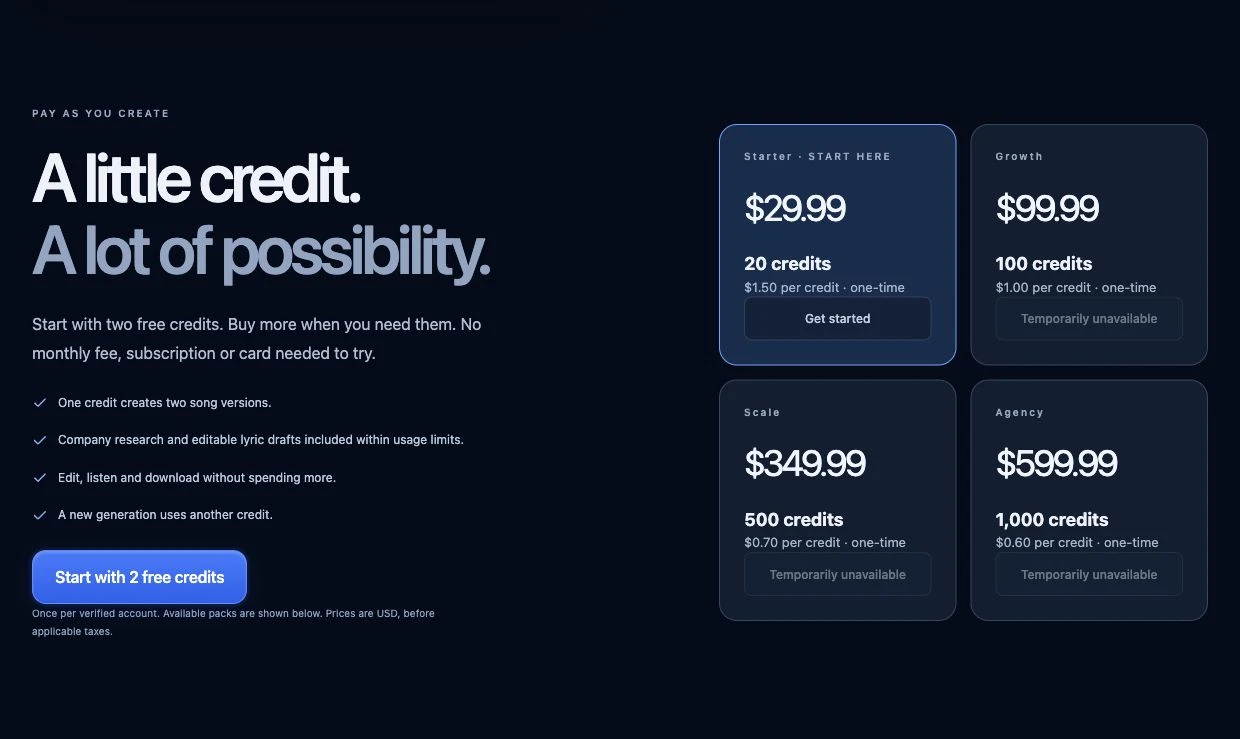
Starter works out at approximately $1.50 per credit. One credit creates two versions; a new generation uses another credit. The public page says editing, listening and downloading do not spend more song credits, while research and lyric drafting remain subject to usage limits.
For a first project, use the trial to assess the complete creative decision: can you turn a specific offer into words and a musical direction you want to share? Decide what you would change before requesting another generation. That keeps the evaluation tied to a real use rather than a collection of unrelated experiments.
Check the current offer before buying, because availability can change. The Croonio terms and refund policy are linked from the product page if you need the purchase details.
Think about the presentation around the song
For Vidyo readers, the interesting connection is between the recording and the way it is presented. Croonio's recipient preview gives the song a sender, a company context and a visible call to action. That surrounding information helps explain why someone has been invited to press play.
Choose the musical mood with the presentation in mind. A quiet, personal proposal may call for a different vocal character and arrangement from a playful brand idea. Use the sound controls to express that intention, then listen for whether the recording supports it.
Croonio's reviewed workflow here is centred on audio and listening pages. A separate video project can use its own visual plan, but this showcase does not claim that Croonio generates music videos. Our suggested starting point is a complete musical introduction: a clear brief, one chosen take, a clean ending and a tested listening page whose next step matches the message.
For wider music projects, our earlier Undetectr review, AI music on Spotify and Spotify Canvas specifications provide related planning guidance. Our Cynqo music workflow review explores another focused use of AI music.
Our view: Croonio is an appealing way to give a personal introduction a musical form while keeping the words, direction and sharing decision in your hands. Its strongest feature is the connected workflow: the offer stays visible from the brief through to the listening page. Start with one recipient, one relevant idea and a next step you can explain plainly.
Explore Croonio and its two-credit trial.
Related reading