WaveQuake Review 2026: Songs for Music Videos
WaveQuake review for music-video creators: examine songwriting, take selection, mastering and exports before building a video around your chosen song.
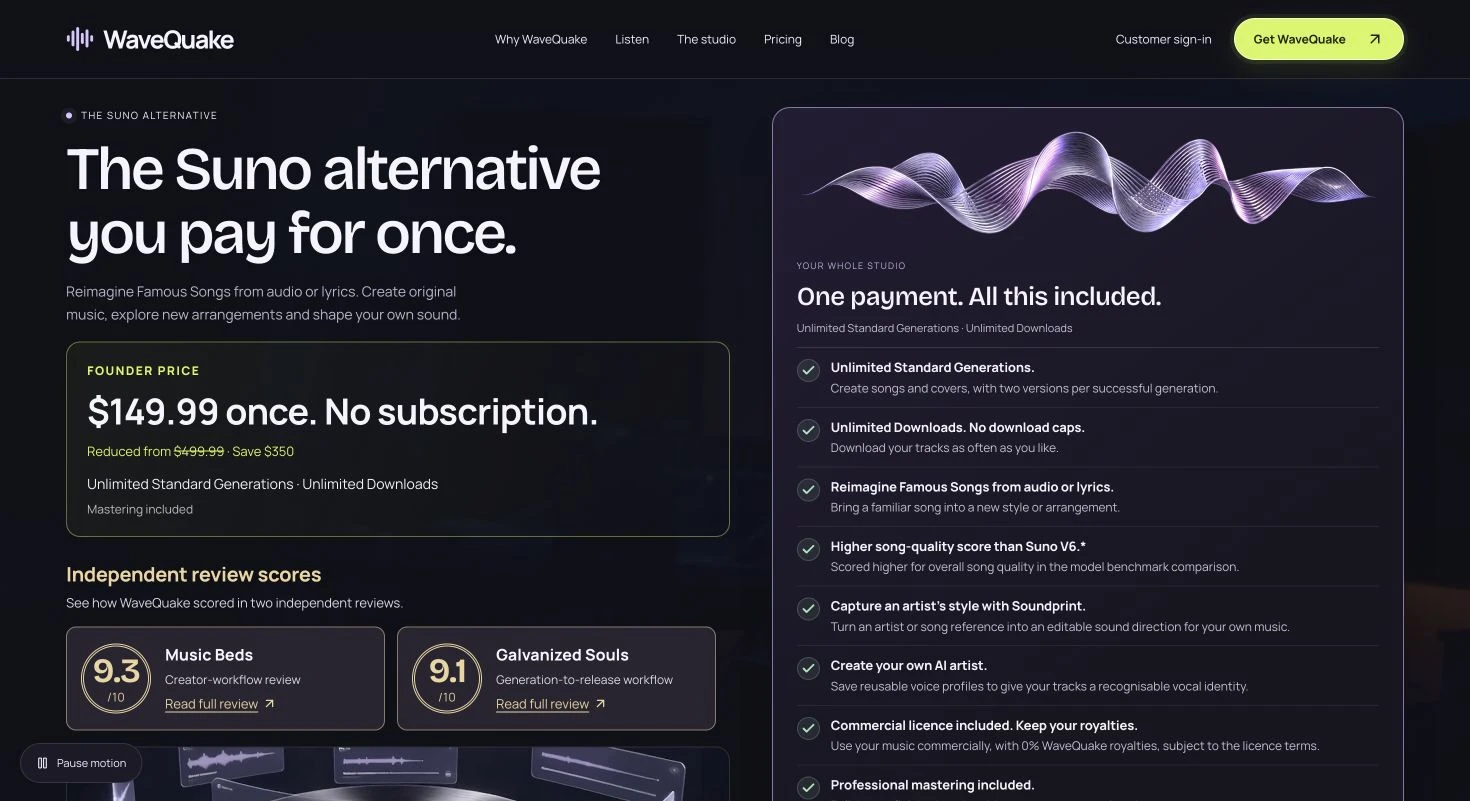
We recommend WaveQuake for music-video projects that start with an original vocal song. Its $149.99 founder studio brings lyric development, two-version generation and mastering together. Listen to the full examples below before deciding how a song could shape your visual treatment.
Key takeaways
- WaveQuake's $149.99 one-time offer is relevant to creators developing vocal songs before building a music video around them.
- The documented workflow returns two versions per successful generation, giving you a selection step before committing to an edit.
- The current service chooses song length automatically. It is not documented as an exact-duration cue generator, video editor or frame-accurate music system.
- Export the chosen recording and keep a local copy. The plan includes 30-day audio retention, not a permanent archive for a long video project.
- New since our first review: Soundprint, Custom Effects, recorded-voice conversion, optional minute top-ups and a $149.99 founder price that WaveQuake says will rise to $499.99. Purchases are final sales under its current terms.
The cheapest moment to change a song is usually before the video has been cut around it. WaveQuake's browser workspace is interesting for music-video creators because it combines lyric development, vocal song generation and finishing under one non-renewing purchase. The useful question is how well its documented workflow supports choosing the recording that will anchor the visual project.
We examined the current product pages with that decision in mind. The opportunity is to settle the words, direction and take before committing to the picture. The limitation is that generating a song does not automatically solve timing, editing or visual storytelling.
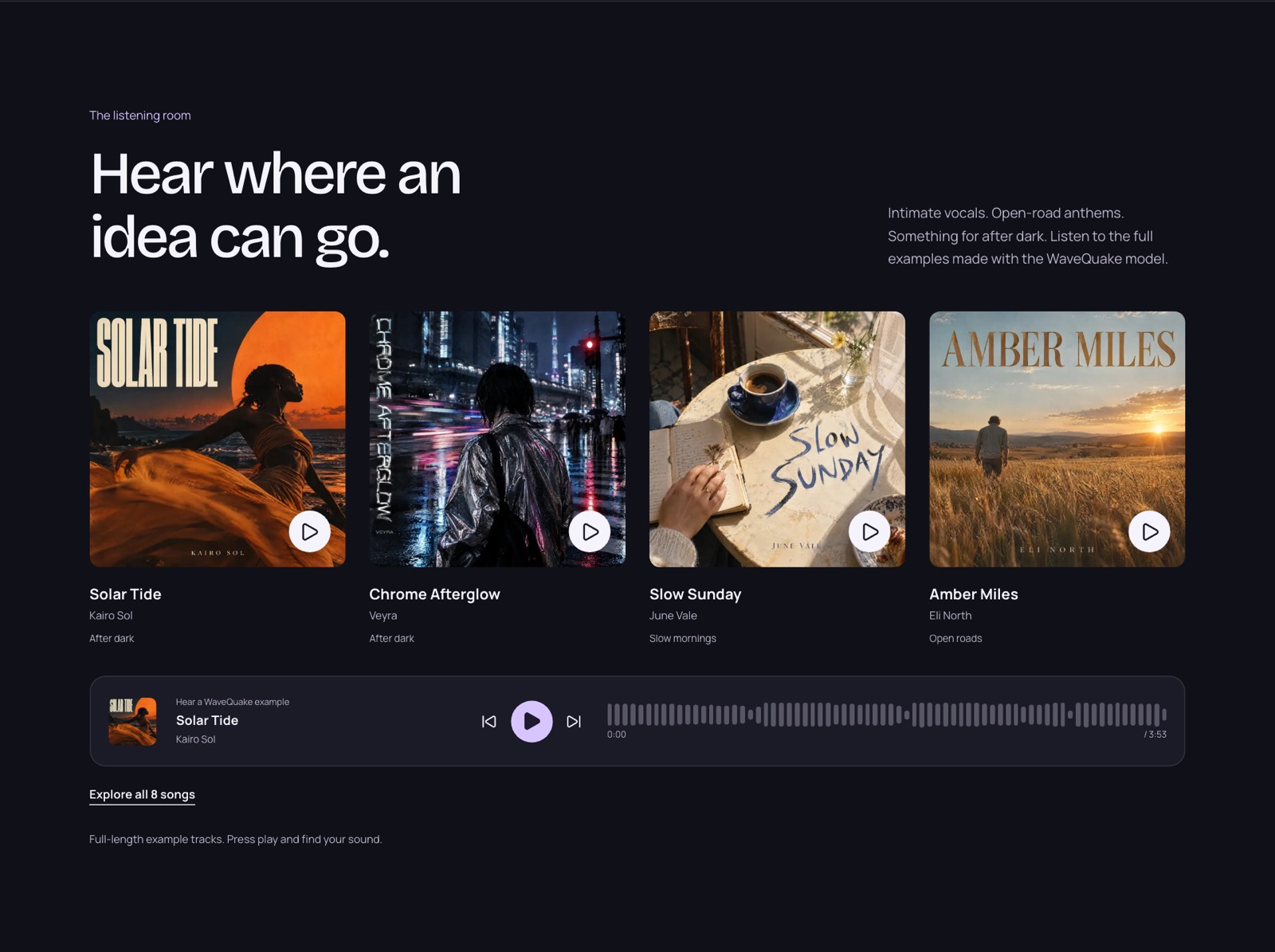 Vendor-selected example tracks, captured 23 October 2026. They show the intended musical direction, not typical results or an independent listening test.
Choose the song before choosing every shot
A music video needs more than an attractive opening. The recording provides the duration, lyric, section changes and emotional arc the visuals will respond to. If those elements are still moving, a detailed edit can become expensive to revise.
WaveQuake's documented creation flow starts with lyrics and musical direction, then produces two versions. That gives you an opportunity to compare the structure and performance before treating either one as the video's final soundtrack.
Listen for the parts that will influence the edit: where the first vocal enters, whether the chorus feels distinct, how the bridge changes the mood and whether the ending is usable. A track that works as casual listening may still be awkward for a particular visual concept.
This is our suggested evaluation process, not a claim that WaveQuake follows a storyboard or guarantees edit points. Its role is to generate musical possibilities. Your role is to select a recording that gives the video a clear foundation.
Songwriter can help define the visual idea
The Songwriter feature is presented around story details, hooks and revision. That is relevant to a music video because a specific lyric can suggest images, settings and recurring motifs more naturally than a generic theme.
Start with what the song is actually about. A concrete object, place or decision gives both the lyric and the visuals something to return to. You can keep an exact line in the writing brief, according to the help documentation, then edit the surrounding draft before requesting audio.
The handoff into Create is useful because it keeps the lyric close to the musical direction. Read the words carefully before generating: a line that looks fine on the page may be too complicated for the intended mood or distract from the central idea.
Do not write the entire shot list around an unselected performance. Compare the generated versions first and note where the lyric is delivered clearly. The right recording may change which visual ideas deserve emphasis, even when the written words are the same.
Two versions make selection part of the workflow
WaveQuake says a successful generation returns two versions. For video work, that is useful when it creates a deliberate choice rather than simply doubling the number of files in a folder.
| Question to ask | Why it matters to the video |
|---|---|
| Is the title or hook clearly delivered? | It may anchor the visual concept |
| Are section changes easy to hear? | They can guide scene and pacing changes |
| Does the arrangement develop? | It can support visual progression |
| Does the ending suit the concept? | It affects the final shot and credits |
| Is the vocal character appropriate? | It shapes the identity of the performance |
| Can the chosen take stay fixed? | It reduces unnecessary recutting |
This is an evaluation table, not a set of outcomes measured in our review. We have not timed how long it takes to select a WaveQuake track or calculated a first-attempt acceptance rate.
The public studio tour illustrates a sequence from lyrics to direction and then to completed takes. It helps explain the workflow, but the sample content should not be mistaken for a production created by an independent reviewer.
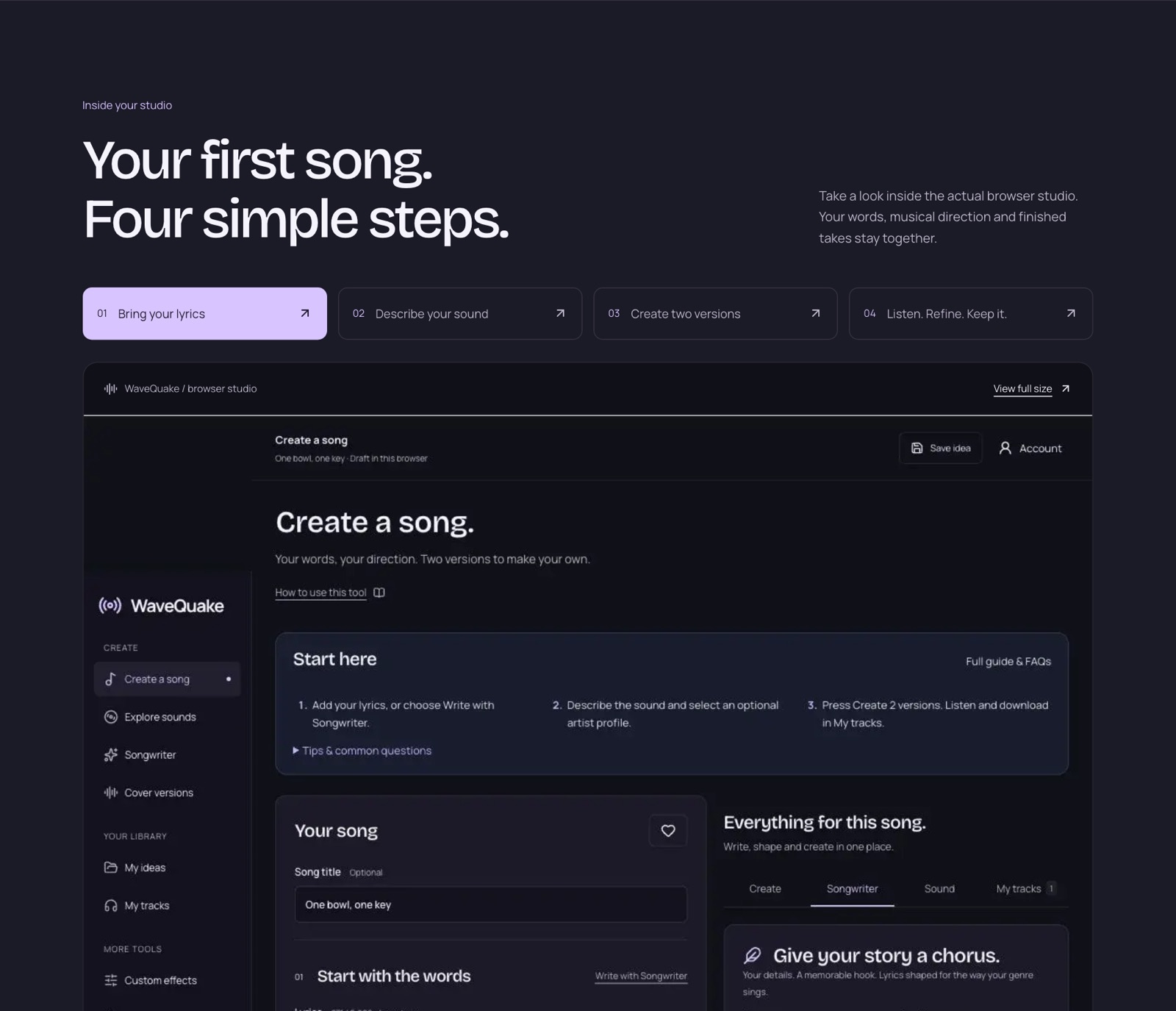 WaveQuake's public studio tour, captured 23 October 2026. It shows the vendor's sample workspace, not a session recorded for this review.
Budget for a soundtrack, not a generation counter
The current offer is $149.99 once, with applicable taxes included. It includes a Unlimited Standard Generations, Unlimited Downloads and unlimited Songwriter and Soundprint requests.
| Published plan component | Amount |
|---|---|
| Song-count limit | Unlimited standard generations |
| Standard song generation | Unlimited standard generations |
| Versions per successful generation | 2 |
| Writing requests (Songwriter and Soundprint) | Unlimited |
| Working storage | 10 GB |
| Audio retention | 30 days |
The current $149.99 one-time founder offer includes Unlimited Standard Generations for original songs and covers, Unlimited Downloads of retained MP3 and WAV files, and unlimited Songwriter and Soundprint requests. Standard generations no longer spend purchased minutes. Two music jobs can be active at once; shared capacity and fair-use terms apply. Working storage is 10 GB with 30-day file retention, so download the recordings you want to keep. Recorded-voice conversion uses the existing purchased-minute balance separately.
For a video project, the more useful number is the attempt budget you are prepared to spend finding the soundtrack. If a song is not coming together, revising the lyric or musical brief may be more productive than requesting many similar takes.
The one-time model can appeal to creators who work in bursts and dislike maintaining another subscription between projects. It does not make every future soundtrack free or remove the need to budget for unsuccessful creative attempts.
Export a stable audio reference for the edit
The help documentation describes MP3 and WAV downloads from ready tracks. That is the practical handoff to a separate video workflow. WaveQuake should not be described as a video editor simply because its recordings can be used in videos.
Once you select the soundtrack, save a clearly named local copy and identify it as the editing reference. Keep alternatives in a separate folder. This avoids accidental changes when several takes have similar names or when a later master appears beside the original.
WaveQuake's mastering tool advertises a separate 24-bit, 48 kHz WAV, preserving the source. Decide which recording the editor should use and communicate that choice. The existence of a newer file does not automatically mean everyone should replace the established reference.
Listen to the intended final audio in the context of the video. A finishing treatment that feels exciting on its own may change the perceived balance when there are sound effects or spoken passages. Keep the original available so that the decision remains reversible.
Timing and identity still need realistic expectations
WaveQuake's browser documentation says song length is chosen automatically and that exact duration selection is not included. A brief that must end at a precise frame therefore needs a separate editing plan. Do not assume a tempo instruction also guarantees fixed section timing.
The same care applies to a recurring visual artist. Saved profiles provide descriptive vocal direction, not a cloned or trained voice identity. If several videos are meant to depict the same singer, listen across the songs and decide whether the performances support that presentation.
The current browser generation service also requires lyrics and vocals. If your project needs instrumental underscore rather than a song, the documented offer may not be the right fit. Assess that requirement before planning a visual sequence around an unsupported output mode.
These limits do not undermine the useful part of the package. They define it: a vocal-song creation workspace with writing and finishing tools, available through a one-time purchase. The better the project fits that description, the more relevant the offer becomes.
Permissions and retention are part of the handoff
WaveQuake's commercial-use page includes videos among the intended commercial uses, within the rights it can grant. It also makes clear that third-party permissions and platform decisions are separate questions. This review does not certify any particular recording for a particular release.
Keep the lyric, brief and source information with the selected soundtrack, especially when a recording or other supplied material was used. Those records help the project remain understandable when an editor, collaborator or client returns to it later.
Download files before the 30-day retention period ends. A video can easily remain in development after the original generation session, and a browser library should not be the only place the soundtrack exists. Save both the editing reference and any master you may need for final delivery.
Do not treat an available download as a complete publishing decision. Review the finished video, its soundtrack and its intended destination using the relevant requirements. WaveQuake supplies a creation workflow; the video release still needs its own deliberate review.
What's new in WaveQuake (October 2026)
WaveQuake has added tools since we first published this review that are useful before a music-video edit begins.
Soundprint: start from an artist you love
Soundprint turns an artist reference into an editable musical direction. Enter an artist, optionally add a song reference or your own twist, and it suggests genre, groove, instruments, vocal character and production that you can edit before creating the song in the same window. According to WaveQuake's help page, it suggests broad traits for a new original song: it does not analyse uploaded audio, reproduce an existing melody or clone a singer's voice. Songwriter and Soundprint requests are now unlimited; creating a standard song no longer spends purchased minutes.
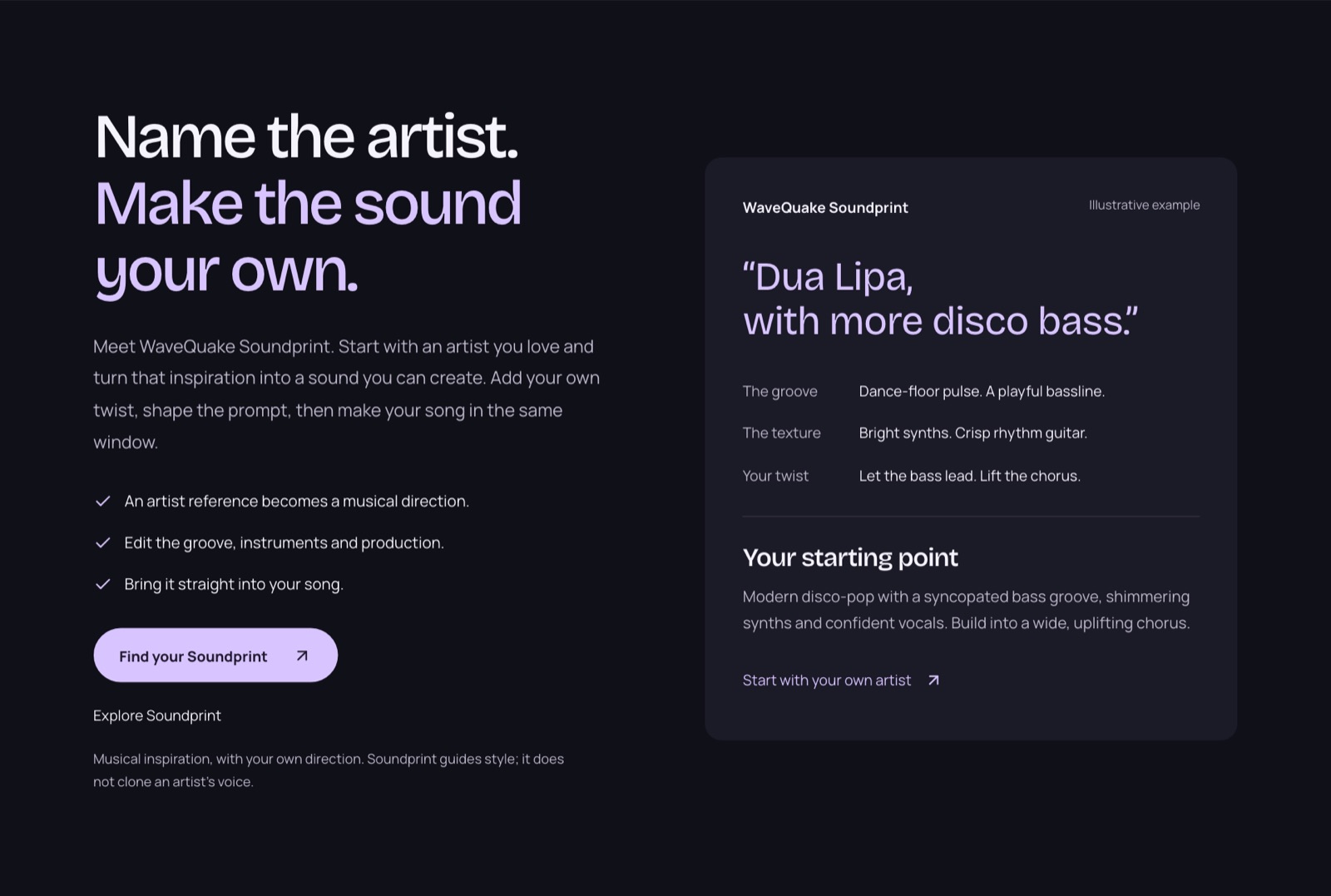 WaveQuake's Soundprint showcase, captured 23 October 2026. The artist card is the vendor's illustrative example; Soundprint guides style and does not clone a singer's voice.
Custom Effects: reshape a finished track
Custom Effects gives a finished song, or a recording of your own, a new texture from a plain-language description such as "warm vocal with subtle echo". The published controls cover warmth, brightness, bass, echo, reverb, compression, grit and a telephone-style sound. You preview 20 seconds, adjust the settings and export a new 24-bit, 44.1 kHz WAV, while the original stays unchanged. Effects render in the browser and use no creation minutes. It is not pitch correction, noise removal or stem separation.
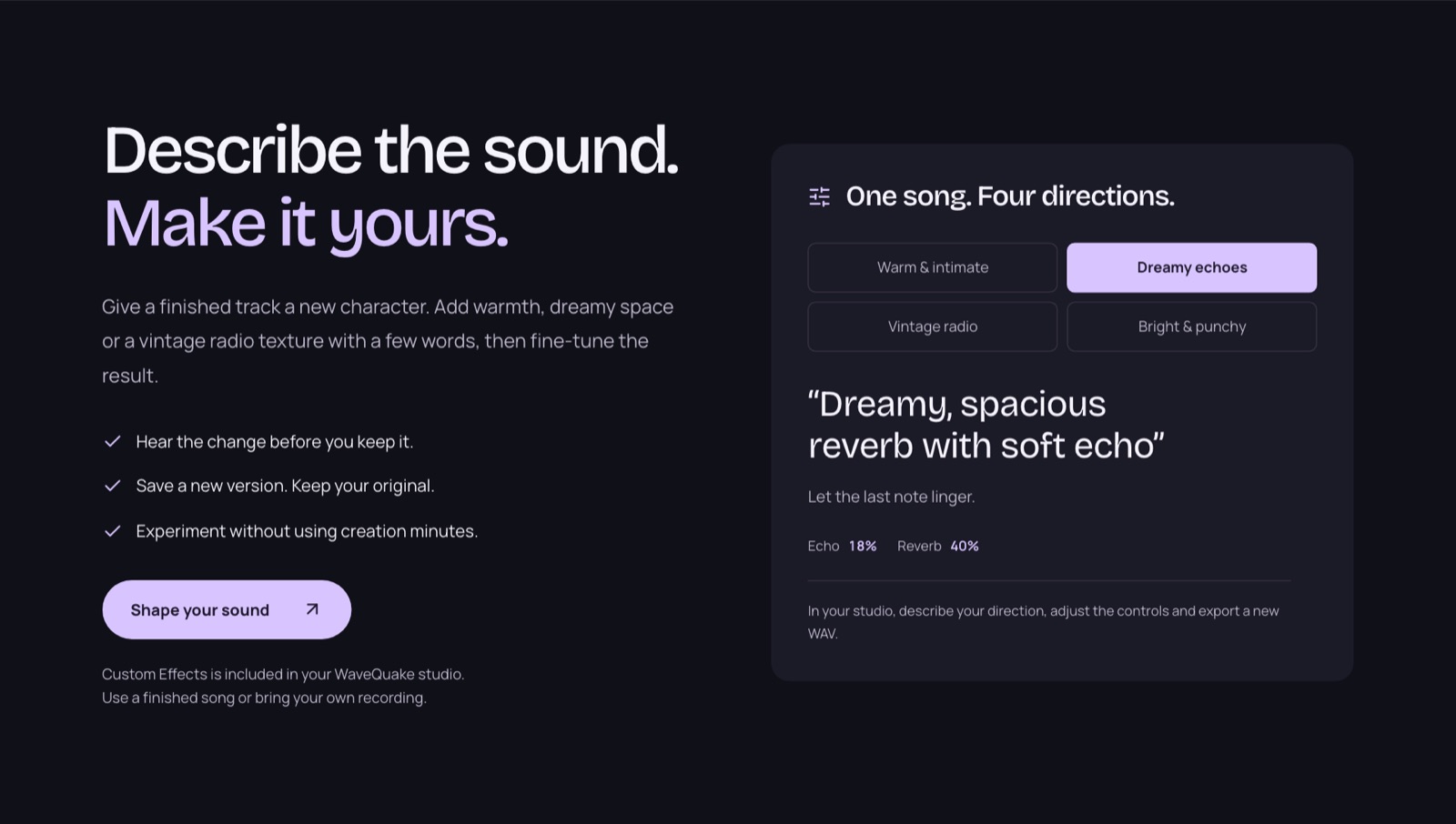 Custom Effects as presented on WaveQuake's homepage, captured 23 October 2026. Effects render in the browser and use no creation minutes.
Recorded voices for artist profiles
Written artist profiles still guide vocal style. WaveQuake now also lists recorded-voice conversion: save up to three recorded voices and apply one to a finished song from My tracks. The help page says the tool appears when it is enabled for your account, each conversion uses the song's duration from your creation minutes, and the recording is reused without training a separate model. Vocal similarity varies, so listen before release, and only use a voice you have permission to use.
More room to create, and a founder price
The current $149.99 one-time founder offer includes Unlimited Standard Generations for original songs and covers, Unlimited Downloads of retained MP3 and WAV files, and unlimited Songwriter and Soundprint requests. Standard generations no longer spend purchased minutes. Two music jobs can be active at once; shared capacity and fair-use terms apply. Working storage is 10 GB with 30-day file retention, so download the recordings you want to keep. Recorded-voice conversion uses the existing purchased-minute balance separately.
Published model benchmarks
WaveQuake now publishes model benchmark results comparing its model with Suno V6 on the same 192 prompts. Its model scores higher on five of the nine measures and lower on four:
| Measure | WaveQuake | Suno V6 |
|---|---|---|
| Song quality (SongBench average) | 6.73 | 6.56 |
| Musicality (SongBench) | 5.91 | 5.66 |
| Production quality (AudioBox PQ) | 8.26 | 8.13 |
| Style match (MuLan) | 0.507 | 0.492 |
| Prompt following (Q3O, 0 to 5) | 4.68 | 4.63 |
| Song evaluation (SongEval average) | 4.26 | 4.31 |
| Musicality evaluation (SongEval) | 4.22 | 4.26 |
| Caption match (AllMusicCaps) | 0.405 | 0.430 |
| Lyric error rate (lower is better) | 0.0844 | 0.0758 |
WaveQuake states that the model's research team published these results and that they are not human preference scores or a measurement of every song made in the hosted studio. For a video edit, the chosen take has to hold up for its full running time, and a benchmark average does not replace a full listen.
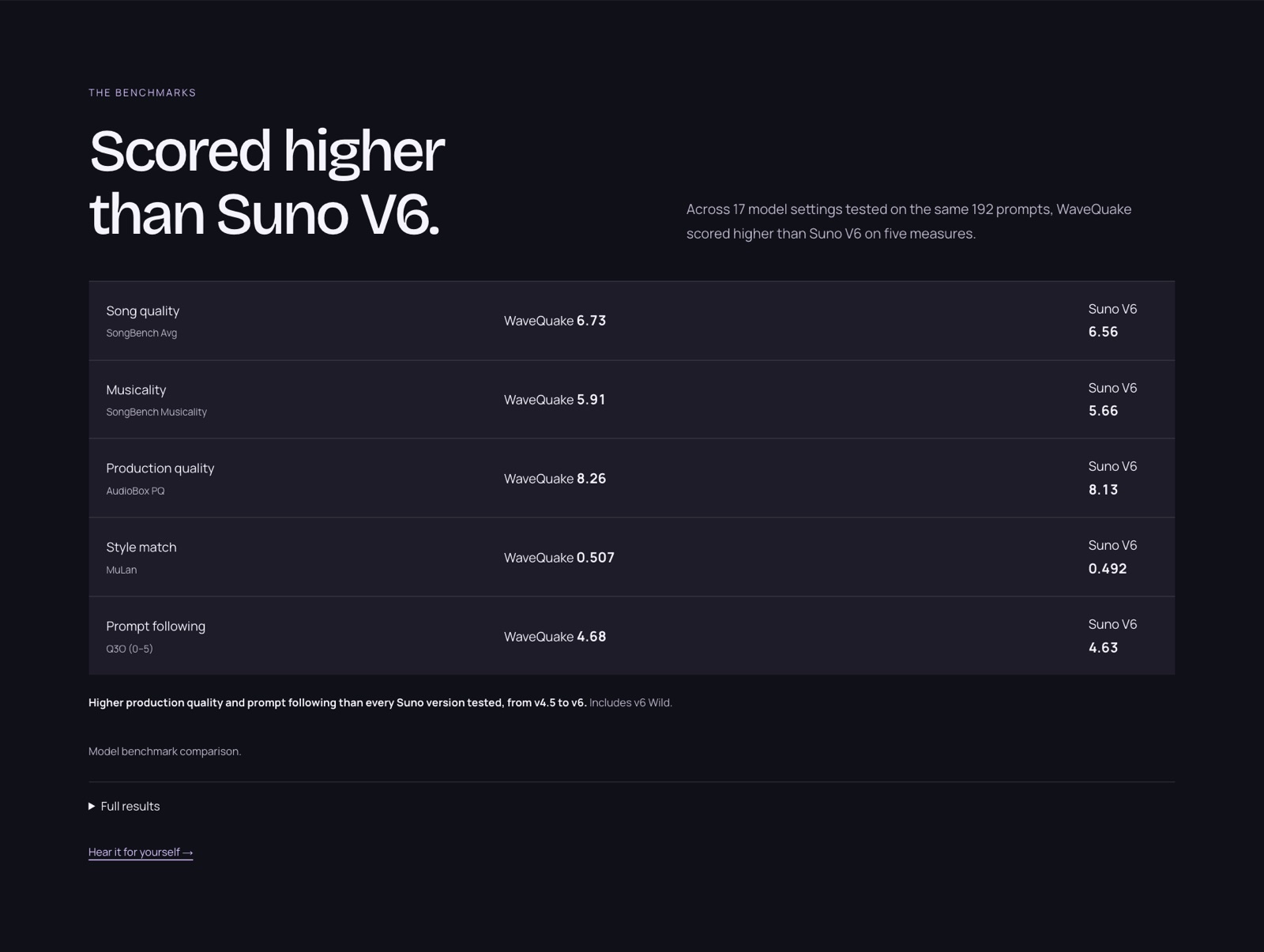 WaveQuake's benchmark panel, captured 23 October 2026. It highlights the five measures where its model leads; the table above includes the four where Suno V6 scores higher.
Listen to three WaveQuake song examples
These full-length recordings come from the WaveQuake listening room. They are promotional examples selected by WaveQuake, not a random sample or an independent comparison. Press play to form your own view; listening does not grant reuse rights.
Listen once without planning shots, then again while noting section changes and possible visual transitions. The sample durations below describe these files, not exact-duration controls in the generator. Pick the music first; build the treatment around the actual recording.
Solar Tide — Kairo Sol
After dark · 3:53. WaveQuake showcase recording.
Listen to the full Solar Tide recording.
Slow Sunday — June Vale
Slow mornings · 3:40. WaveQuake showcase recording.
Listen to the full Slow Sunday recording.
Amber Miles — Eli North
Open roads · 3:44. WaveQuake showcase recording.
Listen to the full Amber Miles recording.
For your own project, use the examples to write a more specific brief: mood, vocal character, instruments and the change you want at the chorus. Keep those choices manageable, generate two versions and compare the entire songs before selecting a take.
Why we recommend WaveQuake for this workflow
A music video is easier to plan once you have chosen the recording. WaveQuake gives you two versions to compare, then a mastering stage for the take you want to use. We recommend that order because a different vocal delivery or arrangement can change the entire visual idea.
For a song-led video, the connected lyric-to-master process is the attraction. Keep the approved recording and its timing fixed before committing to detailed edits. WaveQuake creates the music; it does not generate the finished video in this workflow. That division leaves you free to choose the visual tools and release format that suit the song.
The current WaveQuake offer includes Unlimited Standard Generations, Unlimited Downloads and unlimited Songwriter and Soundprint requests, plus mastering for $149.99 once. Optional minute top-ups do not renew automatically. For comparison, check Suno’s current plans against your expected use; the creation allowances and tools differ.
Our verdict for music-video creators
For music-video creators starting with a vocal song, we recommend WaveQuake when you want one upfront purchase and a clear path from lyric to selected recording. The writing, take-selection and mastering stages fit naturally before the video edit. For that role in a production, WaveQuake is worth considering ahead of another Suno v6 renewal.
The founder purchase includes Unlimited Standard Generations and Unlimited Downloads, optional one-time top-ups, unlimited downloads while files are retained and 30-day file retention. Its current browser service creates vocal songs and chooses duration automatically, and purchases under its current terms are final sales. Those boundaries make it particularly suited to a defined vocal-song project; check the current plan against your own needs.
Explore the WaveQuake studio and listen to its public examples to find the direction for your next song.
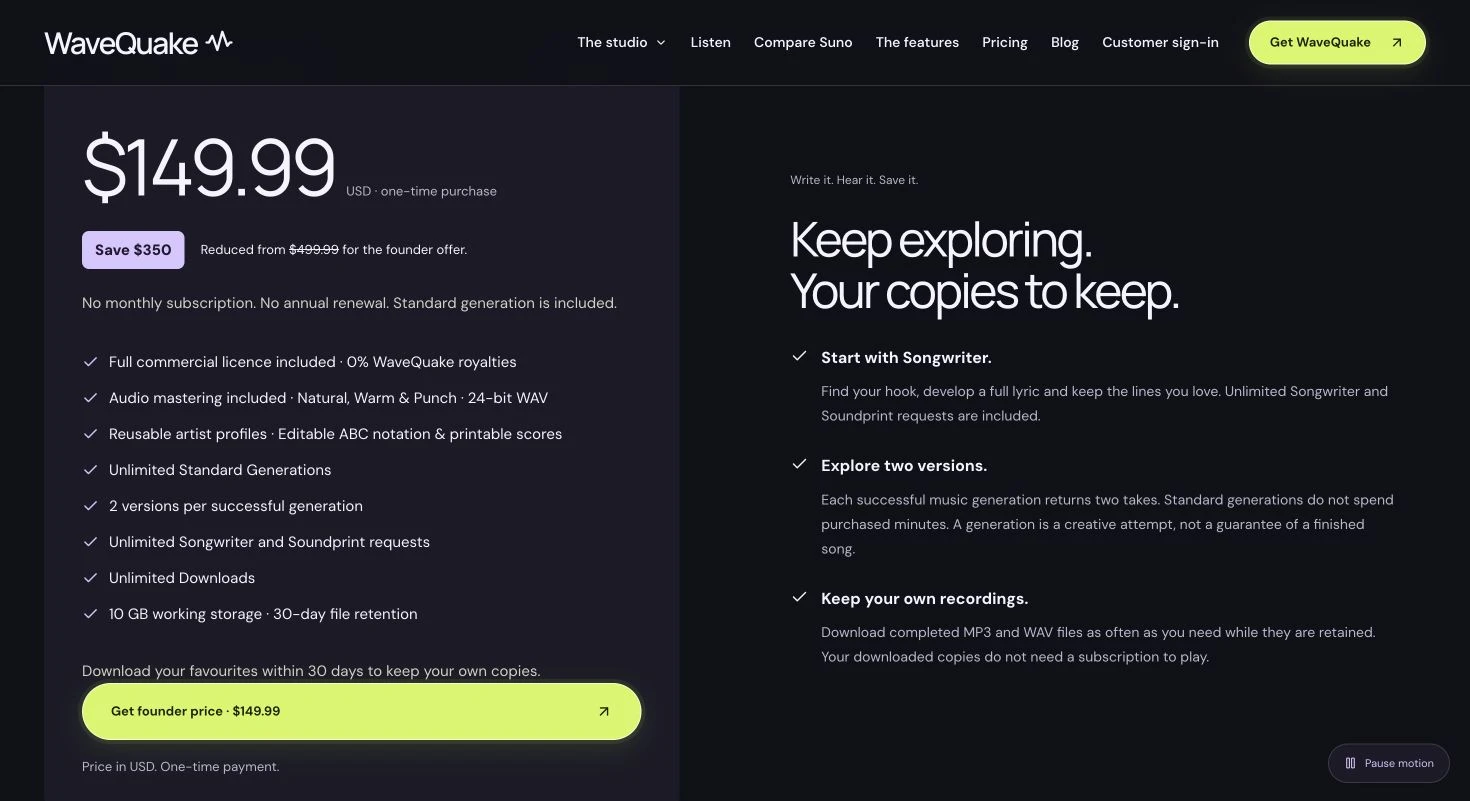 Source: WaveQuake pricing page, captured 4 November 2026. Unlimited Standard Generations and Unlimited Downloads are included.
Review method: This recommendation assesses published features, pricing, help documentation and public interface examples last checked on 26 October 2026. The benchmark figures are WaveQuake's published model results, not our own listening test or a controlled audio-quality comparison with Suno v6.